Is Core Temp Safe to Use?
A practical security review of Core Temp: what the driver does, what the installer may offer you, and how to prove your download has not been tampered with.
 coretemp.org Editorial Team7 min readUpdated Oct 19, 2026
Key Takeaways
- Core Temp from the official source is widely regarded as safe, and version 1.21 hardens its legacy driver against a reported vulnerability.
- It installs a small kernel driver because reading CPU sensors requires low-level access.
- The installer may present optional third-party offers; read each screen and decline what you do not want.
- Always verify the SHA-256 hash before running a downloaded installer.
Any tool that reads hardware sensors needs deeper access to your system than a typical app, so it is sensible to ask whether Core Temp is safe. The short answer: the genuine program from its developer, Arthur Liberman (ALCPU), has a long, clean track record. The risks come from unofficial download sites and from clicking through installer screens without reading them.
Why Core Temp Uses a Driver
Temperature data lives in model-specific registers inside the processor. Windows does not let ordinary programs read those registers, so Core Temp loads a small driver to fetch them. This is the same approach used by most hardware monitors. It is why Windows asks for administrator permission when you start the program.
Driver Security Fix in 1.21
Version 1.21 (October 3, 2026) mitigates vulnerabilities in the legacy 64-bit driver reported as JVN#23328936. If you run an older version, update now from the download page; it is the single most useful security step you can take.
Installer Offers to Watch For
Like many freeware projects, Core Temp has been funded partly through optional offers shown during setup. They are not required for the program to work. Choose the custom path where available, read each page and untick anything unrelated to temperature monitoring. If you prefer to skip the installer entirely, use the portable version described in our portable setup guide.
How to Verify the Download
A hash check proves your file is identical to the one the publisher released. For version 1.21, the SHA-256 recorded in the public winget manifest on GitHub is:
FBF053DB5567D55D20F8D54B8930E95914FFD44073A62ED71AC9048C89D4ECB6
Open PowerShell in your Downloads folder and run:
Get-FileHash .\Core-Temp-setup-v1.21.0.207.exe -Algorithm SHA256
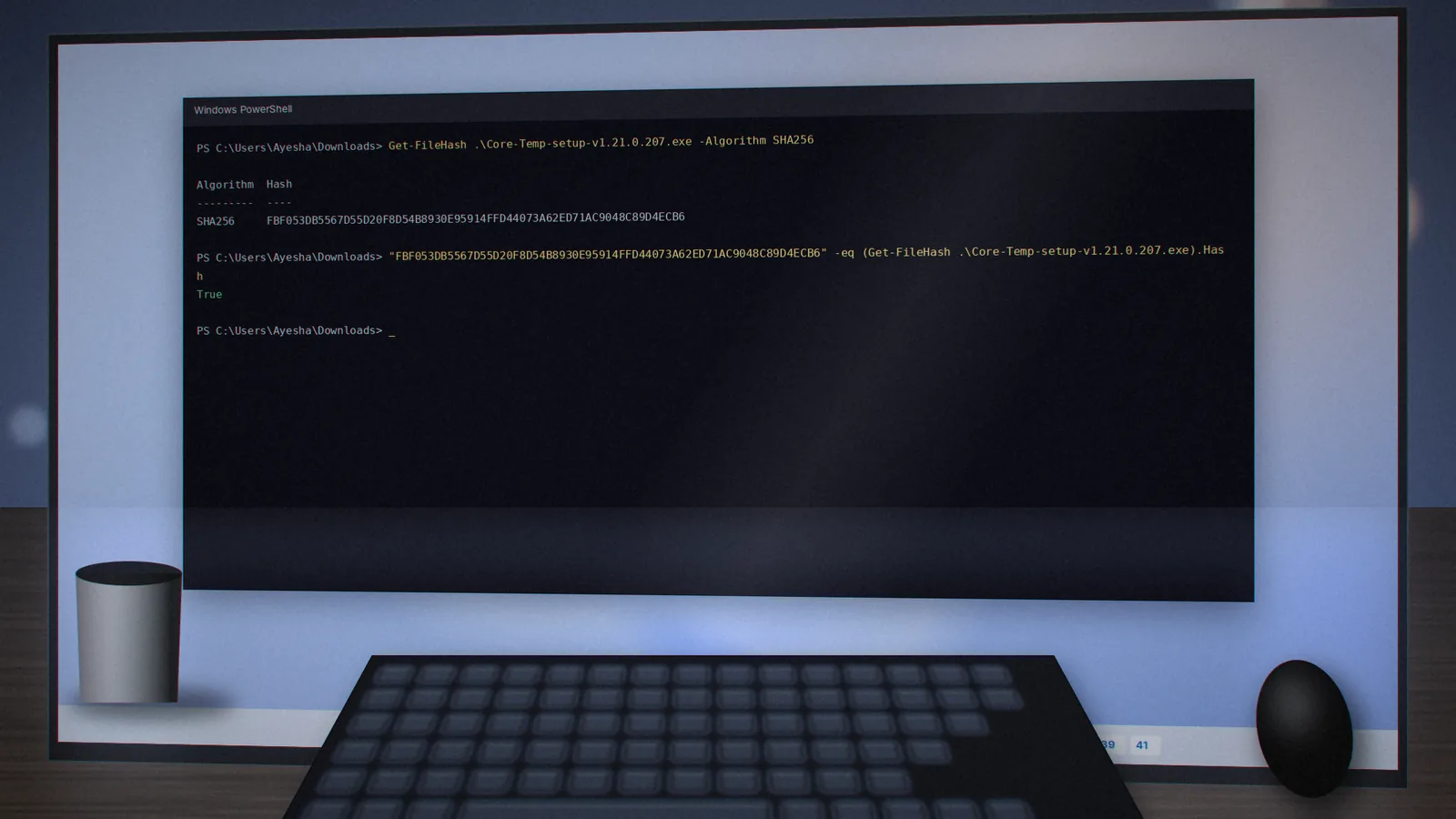
If the two values match exactly, the installer is genuine. If they differ, delete the file and download again from the verified download page.
Privacy and Data Collection
Core Temp works offline. It does not need an account, and its readings stay on your PC unless you choose to log them to a file or enable a remote-monitoring plugin. Logs are plain CSV files in the program folder that you can open, share or delete as you like.
Why Antivirus Sometimes Flags It
Occasionally a security product raises a generic warning about the driver or about bundled offers rather than about Core Temp itself. Check the file's hash, scan it with a second engine, and look at the detection name. A label such as "PUA" or "bundler" refers to the optional offers, not malware in the monitor.
Safe-Use Checklist
- Download only from the developer's site, using the official installer link.
- Verify the SHA-256 hash against the winget record on GitHub.
- Decline optional offers during setup.
- Keep Core Temp updated; fixes for new CPUs arrive regularly.
- Remove it through Windows Settings › Apps if you stop using it.
For more on our process, see the security overview on the homepage.
coretemp.org Editorial Team
The coretemp.org team writes practical guides to downloading, using and troubleshooting Core Temp. Learn more about us or suggest a correction.